The Project Profitability System
Technical Blueprint
PlanArty transforms standard project execution into real-time, easy to follow operational intelligence.
This guide provides a detailed look at the simple steps and the logic that make this clarity possible.
- No credit card required
- Join other service businesses who trust PlanArty
The 4 Dimensions of Project Clarity
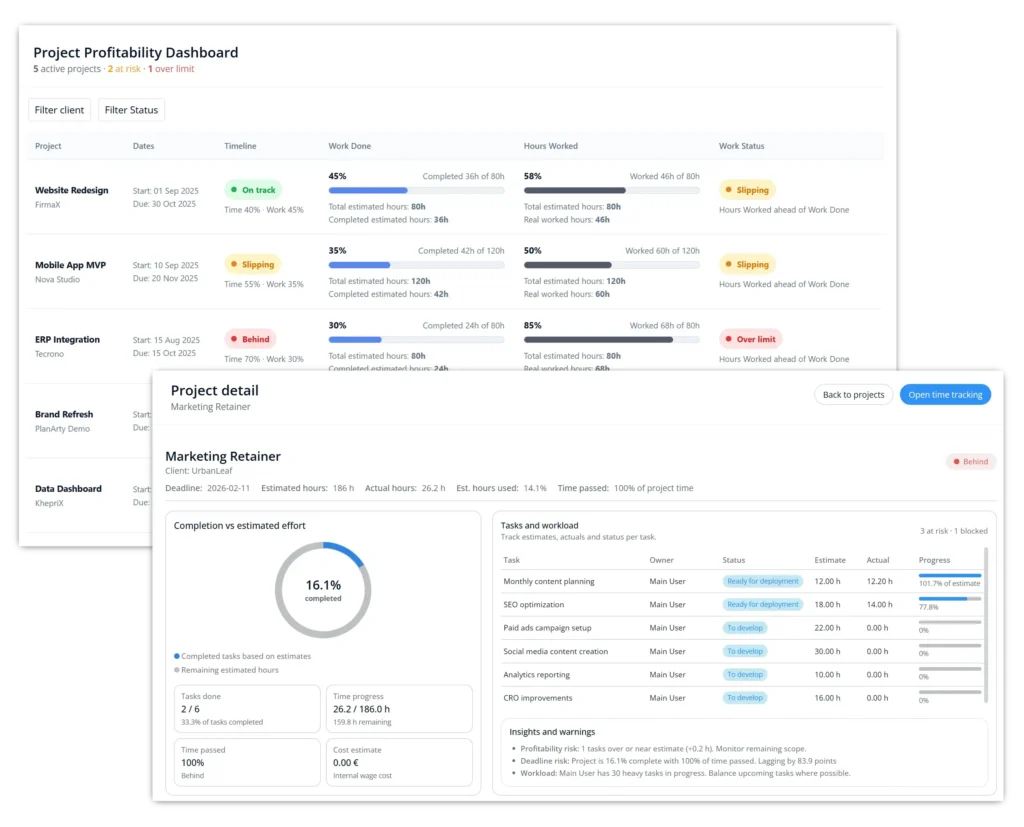
Before looking at the procedure, it is important to understand the four indicators PlanArty provides to a Project Manager for every live project.
Status
Timeline (Calendar)
Are we on track with the calendar? This monitors the project timeline by comparing work progress against passed days. It is designed to be tolerant, allowing for natural work fluctuations.
Progress
Work (Finished)
How much planned work is actually done? This calculates the percentage of completed tasks based on their original estimates. It provides a real value of completion, not just a task count.
Used Hours
Effort (Burned)
How much effort has been burned? This tracks every minute recorded at the source against the initialy estimated hours. It shows exactly how much of your resource capacity has been consumed so far.
Health
Money (Profit)
Are we burning hours faster than progress? This is your early-warning system. It compares effort against work progress with zero tolerance to flag profit leaks the moment they start.
The Procedure: Turning Execution into KPIs
These simple steps ensure the 4 dimensions above stay updated in real-time with zero manual reporting.
1
Split the project into actionable tasks
The PM defines the scope; the Specialist defines the effort.
PM Action:
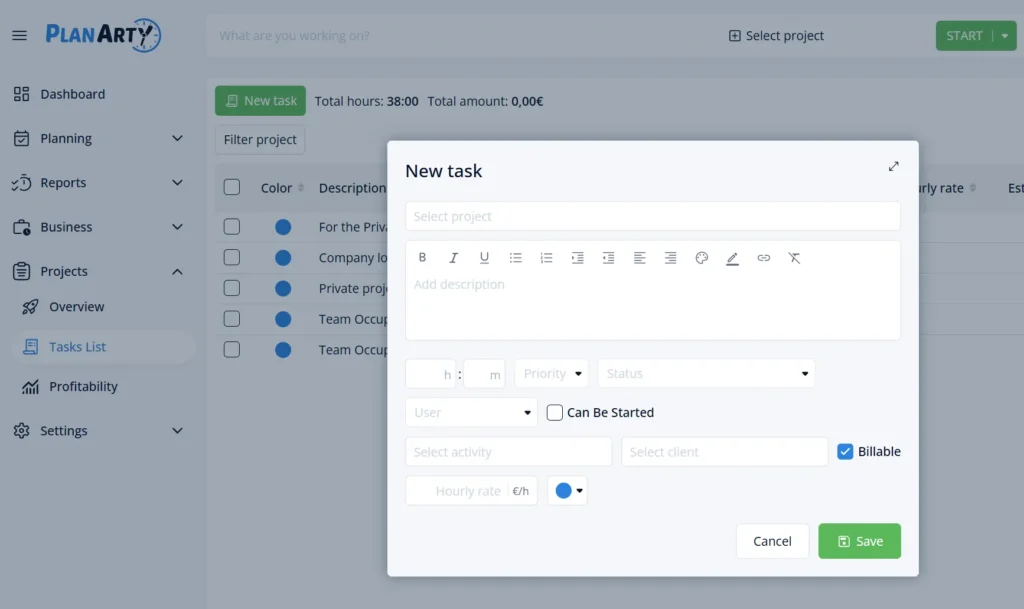
Break the project down into individual tasks. Leave the “Estimated Hours” field empty—this is the first step toward accuracy.
The Handover:
Assign each task to the person doing the work. It instantly appears on their dashboard in a “To Estimate” list.
The Result:
Your project estimate is now built on technical reality from the people actually executing the work.
2
Control the Execution Gate
Prevent team overload by hiding work that isn’t ready.
PM Action:
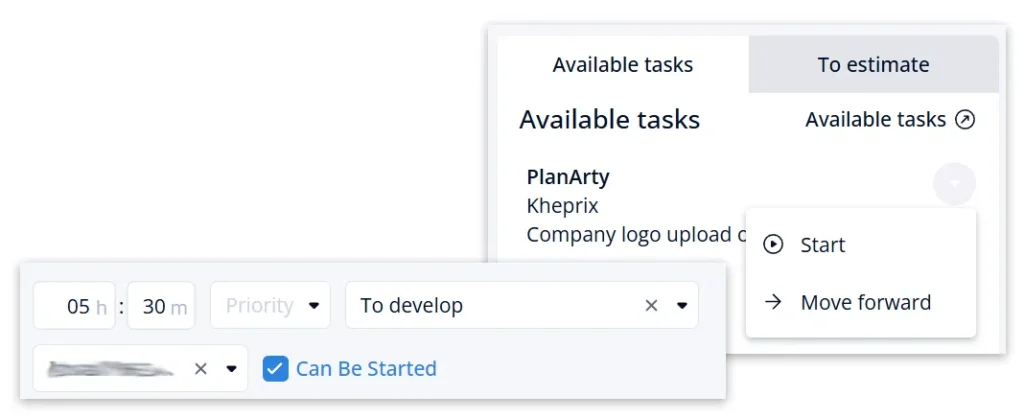
Toggle the “Can Be Started” option only when prerequisites are met and you are ready for the work to begin.
The Result:
The task moves into the colleague’s “Available Tasks” section. This eliminates noise and ensures focus.
3
Capture Effort at the Source
No more “Friday Afternoon” timesheets built from vague memory. Effort capturing is real-time.
Team Habit:
Colleagues start and stop timers directly on the tasks. No manual logging at the end of the week.
Precision:
Every second is measured against the original estimate in real-time.
The Result:
You see the effort-vs-estimate delta instantly. You know a task is over-budget the second it happens.
4
Coordinate via Seamless Handoffs
Work moves automatically as the status changes.
The Logic:
Changing status (e.g., to “Ready for QA”) automatically reassigns the task and moves it to the next person’s view.
The Result:
No more “ticket pong” or status meetings. The system handles the coordination for you.
5
Review the Operational Intelligence
Turn daily habits into high-level business intelligence.
The Sentinel:
The system compares Used Hours vs. Progress. If hours burn faster than work finishes, the Health flags red.
The Result:
You move from managing tasks to managing projects and their profitability.
Monitoring Your Portfolio
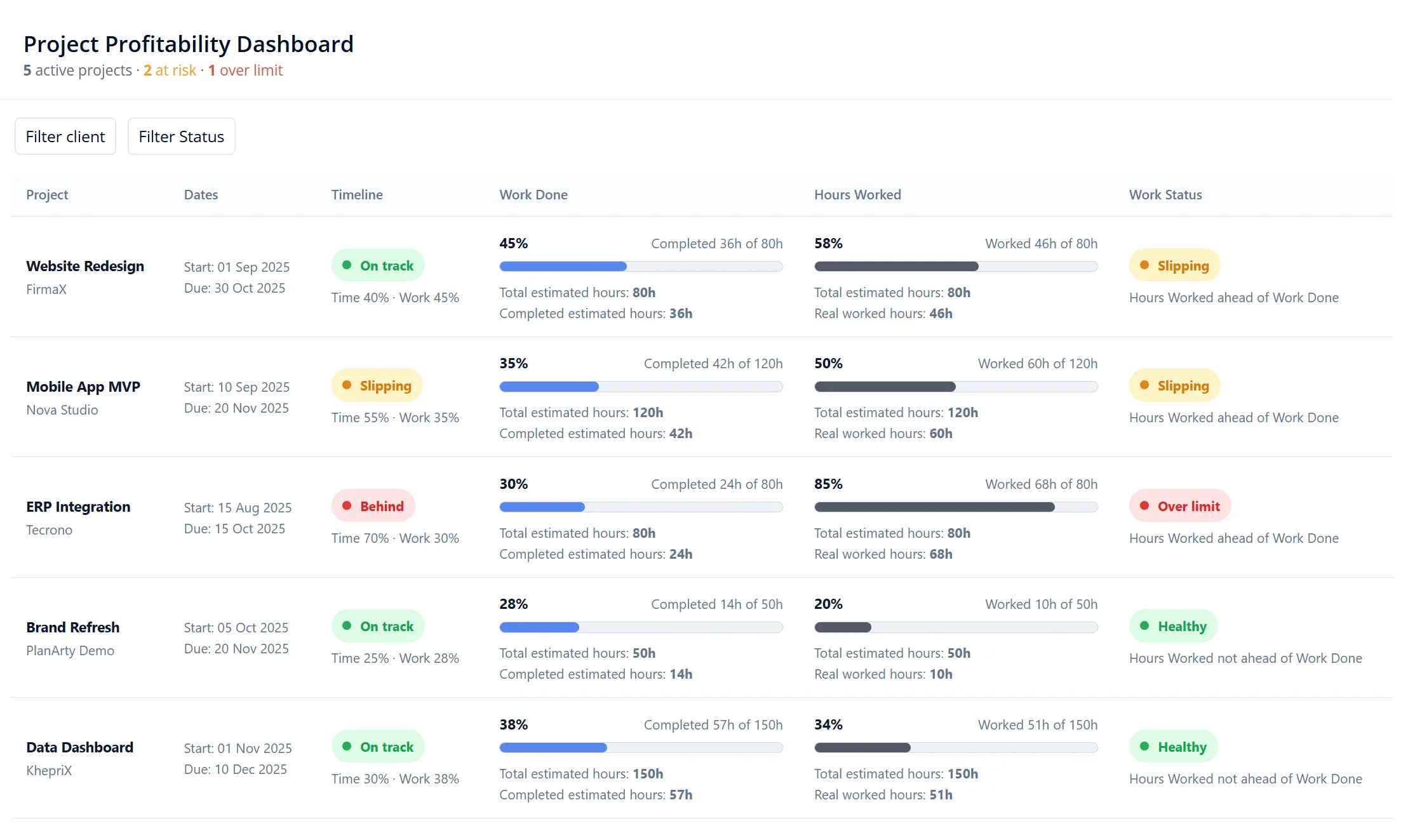
The data flows into your Project List, giving you a bird’s-eye view of your entire company health.
Investigating the Root Cause
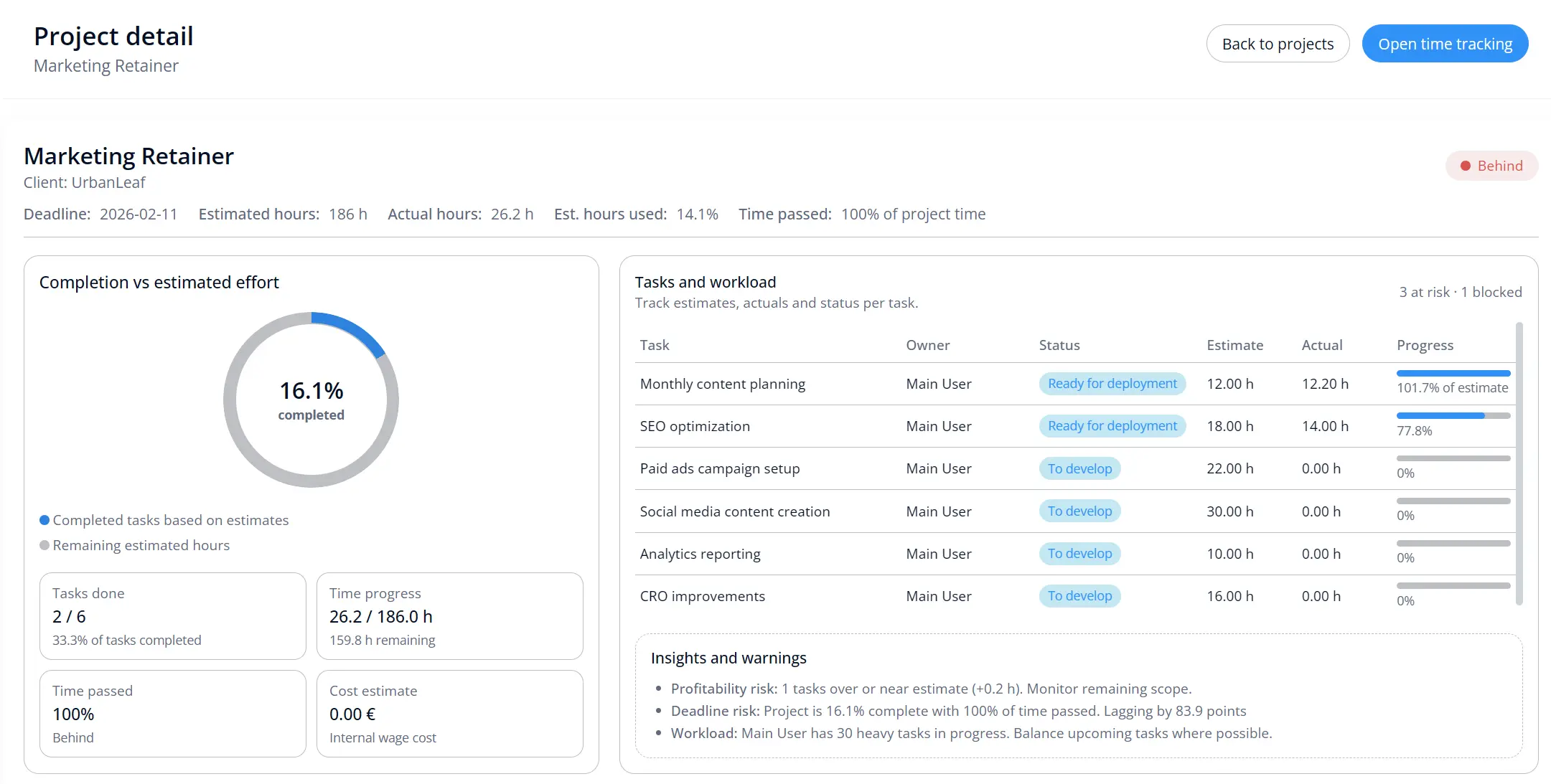
When the dashboard flags a project as “Over Limit,” you can click through to the Project Detail view to see exactly which micro-tasks are causing the leak.
Precision is the only cure for “Hope-Based Management.”
By following a simple execution habit, you get a continuous stream of operational intelligence. No reports to build, no spreadsheets to update. Just the truth about your project health, every morning.